Page 3 of 4
Re: give user keyboard option instead of clicking
Posted: Thu Jul 20, 2023 6:13 pm
by dunbarx
Anyway completely forgot that pressing the option key will result in another character than exspected!

This surprises me as well. I would have thought that if you pressed "opt-F", asking for tKey would give you "F". This is the case for both the "commandKeyDown" and "controlKeyDown" actions. The dictionary does not address this well, though it does mention that Mac OS has peculiarities.
Craig
Re: give user keyboard option instead of clicking
Posted: Thu Jul 20, 2023 6:28 pm
by richmond62
On a Mac the Alt/Opt key is a modifier key in the sense the Shift key is a modifier on Linux, Mac, Windows, UNIX, and so on.
As the first 'modern' computer I used (i.e. one where the keyboard had an Alt/Opt key was a Macintosh, I still wonder what role that key plays in other systems.
Does anyone remember 'Key Caps' on MacOS 7, 8, 9, 10, 10.1, & 10.2 ?
-
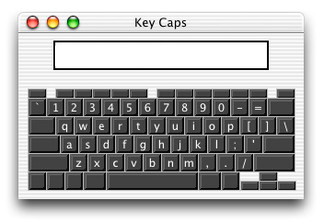
- Key-Caps.jpg (34.5 KiB) Viewed 11276 times
Re: give user keyboard option instead of clicking
Posted: Mon Jul 24, 2023 11:18 pm
by CAsba
Hi Klaus,
I tried putting on the card
Code: Select all
on commandkeydown tKey
   switch tKey
      if theKey is "1" then
         send "mouseup" to btn "radio40"
      end if
      end switch
end commandkeydown
and
Code: Select all
on commandkeydown tKey
   switch tKey

         case "1"
           send "mouseup" to btn "radio40"
           break
           send "mouseup" to btn "radio41"
           break
end switch
end commandkeydown
I then tried hitting "1" and Alt/"1" to no effect.
I don't really follow the logic of the code being on the card, or how to get it working.
Any further clues please ?
Re: give user keyboard option instead of clicking
Posted: Tue Jul 25, 2023 9:25 am
by Klaus
It will work with the correct syntax!

In the first handler there is the CASE missing, so switch will do nothing.
This will do:
Code: Select all
on commandkeydown tKey
   switch tKey
      case "1"
         send "mouseup" to btn 1
         break
   end switch
end commandkeydown
Although a wrong syntax, the second handler does also work for me!
But I'm on a Mac, maybe that makes the difference?
Re: give user keyboard option instead of clicking
Posted: Tue Jul 25, 2023 10:00 am
by Klaus
The BREAK will cause the script to leave the current CASE and go to the next CASE if present.
That way the second ->
send mouseup... will be completely ignored.
And this is why it does in fact work, at least for me.
Code: Select all
on commandkeydown tKey
   switch tKey
         case "1"
           send "mouseup" to btn "radio40"
         break
           send "mouseup" to btn "radio41"
         break
  end switch
end commandkeydown
If in doubt, please consult the DICTIONARY, which will show you some examples about the usage of a term!

Re: give user keyboard option instead of clicking
Posted: Tue Jul 25, 2023 10:17 am
by richmond62
AND that BREAK between the 2 mouseUp signals in the second script will block the second mouseUp.
Re: give user keyboard option instead of clicking
Posted: Tue Jul 25, 2023 11:10 am
by Klaus
Yes, that's what I wrote.
Re: give user keyboard option instead of clicking
Posted: Tue Jul 25, 2023 2:31 pm
by richmond62
So, you did.
Was reading the forums on my telephone . . .

Re: give user keyboard option instead of clicking
Posted: Tue Jul 25, 2023 2:36 pm
by Klaus
OK, mine does not support that!
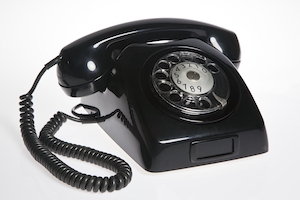
- phone.jpg (52.27 KiB) Viewed 11144 times
Re: give user keyboard option instead of clicking
Posted: Tue Jul 25, 2023 3:13 pm
by richmond62
Frankly I think I prefer your type of phone: certainly less distracting.
Re: give user keyboard option instead of clicking
Posted: Tue Jul 25, 2023 3:56 pm
by Klaus
You BET!
I own in fact a cellphone and a tablet, but ONLY and EXCLUSIVELY use it to test and run my own LC Android apps!
I don't have the slightest idea why I would need to phone when I'm not at home.
Re: give user keyboard option instead of clicking
Posted: Tue Jul 25, 2023 4:33 pm
by richmond62
People ring me up when I'm away in the mountains:
"My wife and I have finally made it and she is pregnant; can we put our embryo on the waiting list for your EFL school?"
Re: give user keyboard option instead of clicking
Posted: Tue Jul 25, 2023 4:43 pm
by Klaus
OUCH!
Your message contains 9 characters.
You need to enter at least 10 characters
Re: give user keyboard option instead of clicking
Posted: Tue Jul 25, 2023 5:52 pm
by jacque
CAsba wrote: Mon Jul 24, 2023 11:18 pm
Hi Klaus,
I tried putting on the card
Code: Select all
on commandkeydown tKey
   switch tKey
      if theKey is "1" then
         send "mouseup" to btn "radio40"
      end if
      end switch
end commandkeydown
and
Code: Select all
on commandkeydown tKey
   switch tKey

         case "1"
           send "mouseup" to btn "radio40"
           break
           send "mouseup" to btn "radio41"
           break
end switch
end commandkeydown
I then tried hitting "1" and Alt/"1" to no effect.
I don't really follow the logic of the code being on the card, or how to get it working.
Any further clues please ?
Each action in a switch statement needs a condition to be matched, a command that executes an action, and a break. The break means the condition matched and the code should exit the switch construct. So you need a case condition for each key press. When the key press matches the case condition the command will execute and the switch will abort.
On Windows, the command key is the Control key. If you use control-1 to test you should see one button respond to mouseUp, even with your currently incorrect syntax. When you provide a case statement for every key then they should all work.
Re: give user keyboard option instead of clicking
Posted: Tue Jul 25, 2023 5:58 pm
by jacque
Also, the handler is in the card script because that is where LC sends key press messages. In addition, it allows you to handle all key presses in one place which is good coding practice.