Page 2 of 2
Re: scrollbars and placing more controls than the page allows
Posted: Tue Jul 10, 2018 10:52 pm
by karmacomposer
OK. I'm going a bit crazy! I put down a lot of controls and items, grouped them and then did as was instructed.
The vertical scrollbar option is not showing in the stack -> basic area.
I set the scale factor back at 1 and the group is longer than the stack, but I cropped it to fit within the stack - so it needs a vertical scrollbar to see the entire group now.
Mike
Re: scrollbars and placing more controls than the page allows
Posted: Wed Jul 11, 2018 1:33 pm
by karmacomposer
Any help as to why I cannot seem to find the vertical scrollbar option in the group now that most of the controls are in place?
Mike
Re: scrollbars and placing more controls than the page allows
Posted: Wed Jul 11, 2018 1:50 pm
by Klaus
karmacomposer wrote: Tue Jul 10, 2018 10:52 pmThe vertical scrollbar option is not showing in the
stack -> basic area.
No checkbox for scrollbars in the inspector for the
group?

Re: scrollbars and placing more controls than the page allows
Posted: Wed Jul 11, 2018 3:18 pm
by karmacomposer
Klaus wrote: Wed Jul 11, 2018 1:50 pm
karmacomposer wrote: Tue Jul 10, 2018 10:52 pmThe vertical scrollbar option is not showing in the
stack -> basic area.
No checkbox for scrollbars in the inspector for the
group?
Nope. Is not there.
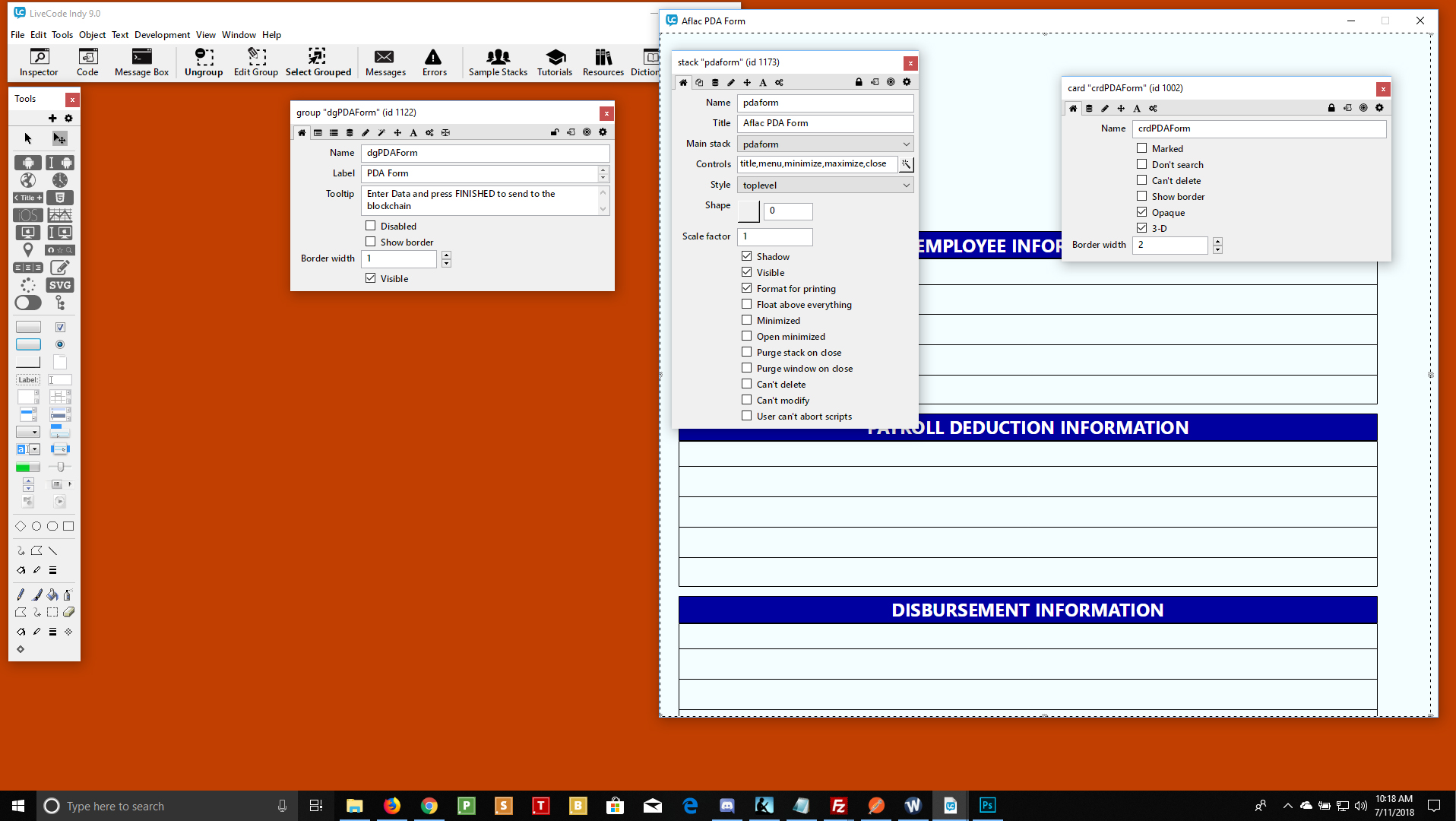
As you can see, the stack, card or object inspector shows no option for scrollbar and the group is selected.
Mike
Re: scrollbars and placing more controls than the page allows
Posted: Wed Jul 11, 2018 3:39 pm
by karmacomposer
So I looked at the project browser and noticed a lot of stuff that had nothing to do with the project. I had datagrids in there originally, but deleted them. They would not delete properly, so I had to ungroup each one and delete all the parts of the group. Weird.
I believe there was residual stuff from the datagrids. Anyway, I deleted them all and then grouped the actual controls and graphics into a group. I then went to crop it a bit on the bottom and THIS showed up:
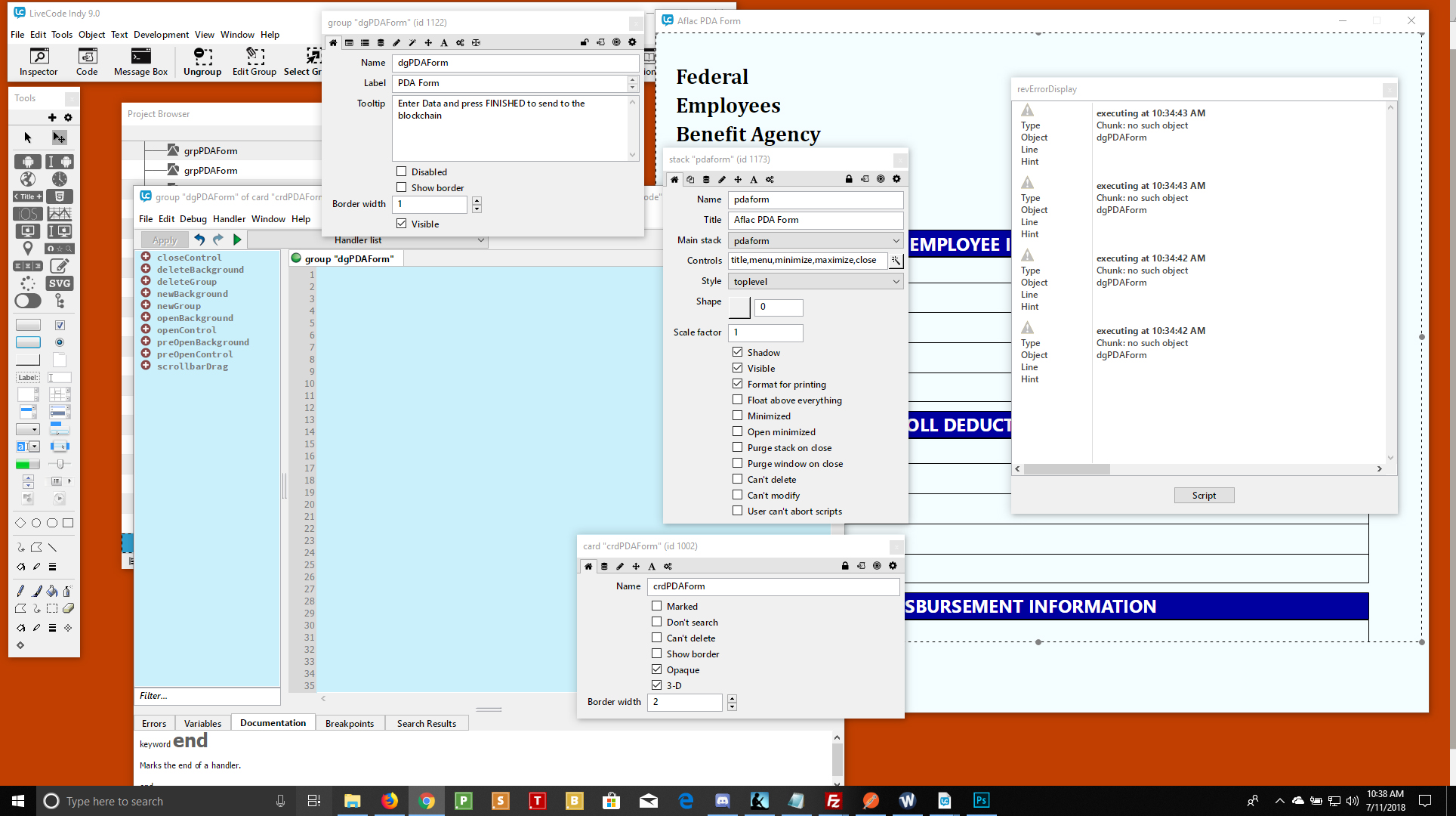
Right now, there are no scripts or coding, so how could I have coding errors? I am not even running the project in browser mode - I am clearly in edit mode.
Help!!!
Mike
Re: scrollbars and placing more controls than the page allows
Posted: Wed Jul 11, 2018 3:49 pm
by karmacomposer
I have been able to make Livecode crash reliably now. I copied all the controls/graphics from my stack to a new stack. Saving or not does not matter. Scale Factor down to .5 - Group it - CRASH to windows every time.
Is this going to be impossible to do with LiveCode. I really would rather use LiveCode than other languages, but not if it's going to be this problematic from the beginning.
Mike
Re: scrollbars and placing more controls than the page allows
Posted: Wed Jul 11, 2018 4:13 pm
by karmacomposer
Got it all working. I had to start fresh and not use scale factor when grouping.
Scale Factor is useful, but has its problems.
Mike
Re: scrollbars and placing more controls than the page allows
Posted: Wed Jul 11, 2018 4:14 pm
by bogs
I was just about to suggest starting over, but see you have already come to that conclusion.